
Yes, you can rent TRON energy for a one-time transfer without committing to recurring rentals, provided the service accepts a single order. The rental supplies Energy to the sending address for the agreed period; it does not remove Bandwidth requirements or guarantee that every network charge is covered. For a single TRC-20 token transfer, check the required Energy, the receiving address for the delegation, and the rental terms before paying.
- TRON Energy rental suits a one-time smart-contract transfer when the service accepts single orders.
- Rent TRON energy for a one-time transfer only after checking the sending wallet’s resource requirements.
- TRC-20 USDT transfers use Energy and Bandwidth; renting Energy does not cover every possible charge.
- Verify delegated Energy on-chain before signing the token transfer. Keep your private keys private.
Can you rent TRON energy for a one-time transfer only?
Yes. A one-time rental is a temporary resource arrangement, not a requirement to keep sending transactions. You arrange Energy for the wallet that will execute the transfer, use it during the rental period, and stop ordering when your task is complete.
The important distinction is between renting for one intended transaction and buying a guaranteed successful transaction. Energy supports smart-contract execution. It does not validate your destination address, correct a token selection, or guarantee execution.
For the underlying resource model, read how TRON Energy rental works. Your 2026 decision should depend on the current transaction estimate and rental terms, not an old screenshot of another wallet’s transfer.
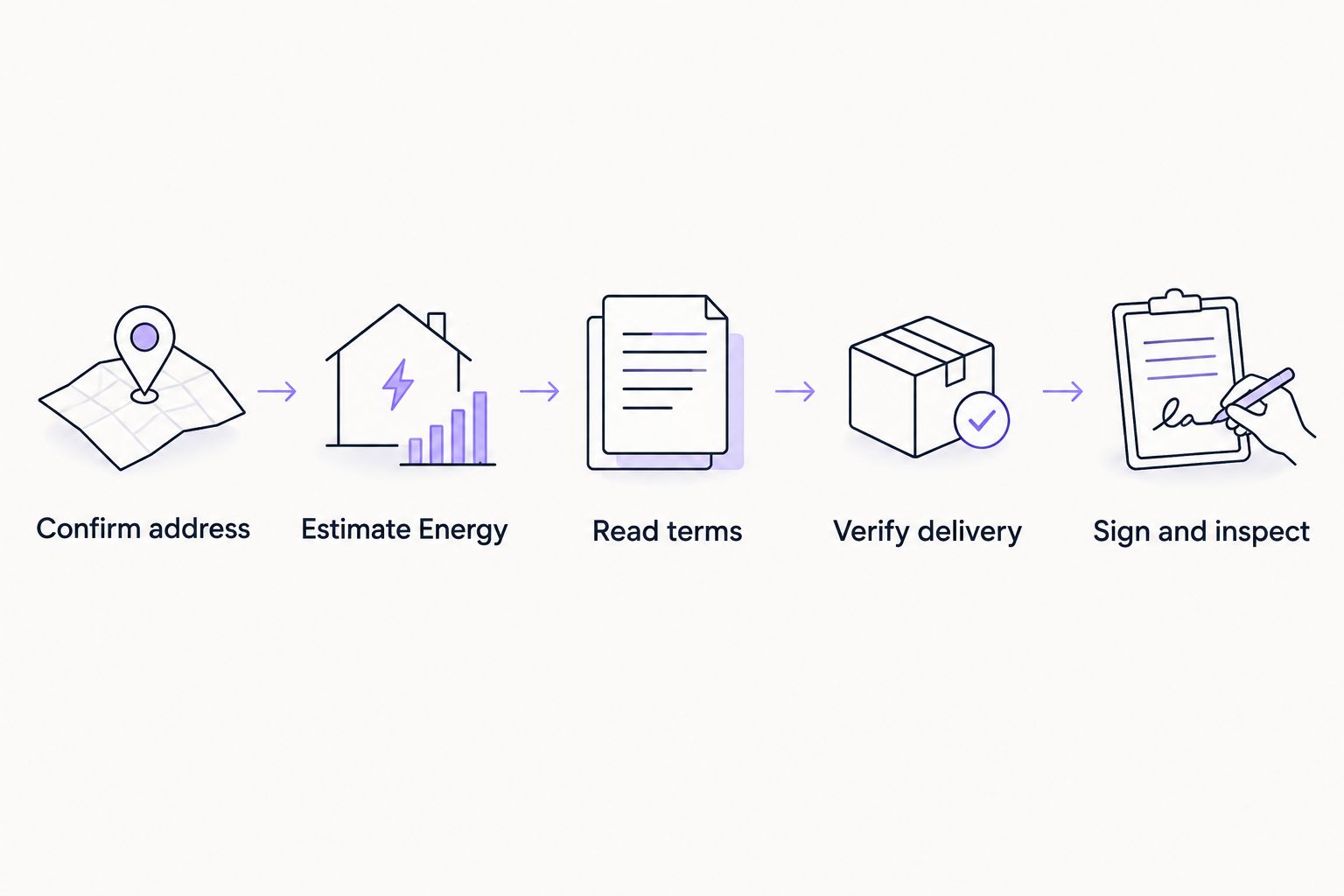
A practical single-transfer workflow is:
- Identify the transfer. Confirm that you are sending a TRC-20 token on TRON, rather than making a native TRX transfer.
- Check the sending wallet. Review its available Energy, Bandwidth, and TRX balance.
- Estimate execution requirements. Use the intended contract interaction, not an unrelated transaction.
- Arrange a single rental. Confirm the destination wallet, resource amount, rental period, and payment instructions.
- Verify delegation. Check that usable Energy appears for the sending wallet before signing.
- Send and confirm. Inspect the transaction result and token movement on-chain.
Why this matters
For an occasional transfer, staking TRX creates a separate resource-management task. Renting is another route, but it introduces a provider, payment instructions, and a delivery step that you must verify.
The right choice is the one that fits the transaction you actually need to send. Do not set up a recurring workflow for a single payment, and do not rent Energy merely because a transfer involves TRON. First establish whether that transaction uses Energy at all.
One-time rental, TRX burning, or staking: which fits?
TRON smart-contract execution uses Energy. When an account lacks sufficient resources, the network can burn TRX according to its resource rules and the transaction’s limits. Staking provides another way to obtain resources.
These options solve different operational problems. Compare their requirements before choosing a route for your 2026 transfer.
| Option | Best for | Practical advantage | Limitation |
|---|---|---|---|
| One-time Energy rental | An isolated smart-contract transfer | Access to delegated Energy without staking your own TRX for that allocation | Requires checking provider terms and resource delivery |
| Using TRX for resource charges | A sender who wants to avoid a rental order | No separate Energy-provider workflow | Requires sufficient TRX and appropriate transaction limits |
| Staking TRX for resources | A wallet with continuing resource needs | Resources come from the staking arrangement | Adds capital allocation and unstaking considerations |
For one intended transfer, compare a single rental with using your existing wallet resources before considering a continuing setup. Rental is not automatically the better choice. Its usefulness depends on the current quote, the resources already in your account, and the work required to complete the order safely.
If you already have enough Energy, renting more adds an unnecessary step. If you already stake TRX, inspect the resources available to the sending wallet before ordering anything.
Check the transaction before choosing the rental
Native TRX transfers do not need Energy
A standard native TRX transfer uses Bandwidth rather than smart-contract Energy. Renting Energy for that transfer does not address the resource it consumes.
Check the asset and network in your wallet before proceeding. A token transfer on TRON and a native TRX transfer are not interchangeable resource events.
TRC-20 token transfers use smart-contract execution
Sending a TRC-20 token calls its smart contract and consumes Energy. The transaction also uses Bandwidth, so an Energy rental alone is not a complete resource check.
For USDT on TRON, estimate the intended transfer rather than copying a fixed allocation from a guide. Contract execution and account state matter. The displayed token amount is not a reliable substitute for an Energy estimate.
Exchange withdrawals are a different workflow
When you request a withdrawal from an exchange, the exchange controls the sending wallet. Renting Energy to your personal receiving address does not supply resources to the exchange’s sending account.
Rent for the address that executes the smart-contract transaction. Owning the destination address is not enough. This distinction prevents ordering resources for a wallet that will not use them.
How to complete a single-transfer rental safely
Confirm the sending address
Copy the public address from the wallet that holds the tokens. Check it against the address shown in the rental order before you pay.
Energy delegation does not require handing over a seed phrase or private key. If a rental workflow requests either, stop. Resource access and control of your wallet are separate matters.
Estimate the required Energy
Review the wallet’s transaction estimate or use a suitable contract-estimation method. Also inspect resources already available to the account so you do not treat the entire requirement as a new rental requirement.
The guide to calculating how much TRON Energy you need explains this decision in more detail. For a 2026 transfer, use current account and contract information rather than assuming that a previously successful allocation still fits.
Read the single-order terms
Check the resource amount, rental duration, delivery conditions, and whether the order creates any continuing obligation. A temporary resource delegation and a recurring billing arrangement are separate things.
Do not interpret a rental period as a promise that unused Energy remains yours indefinitely. Check the provider’s terms for expiration, early removal, cancellation, and unused allocation before completing the order.
Verify resource delivery
A payment receipt shows that you paid. It does not, by itself, show that the correct wallet has usable Energy.
Inspect the account’s resources and the relevant delegation information on-chain. Confirm both the receiving address for the resources and the available allocation. Do not rely solely on a message announcing delivery.
Sign and inspect
Once the resources are available, review the token, destination address, amount, and transaction settings in your wallet. Sign only the intended transfer.
After broadcast, inspect the execution result and the token transfer record. A submitted transaction is not the same as a successful token movement. If execution fails, investigate the result before repeating it.
Why one-time Energy requirements vary
There is no single allocation that fits every TRON smart-contract transaction. These factors explain why your intended transfer needs its own check:
- Transaction type. A native TRX transfer and a TRC-20 token transfer use different resource paths.
- Contract execution. The contract and the execution path determine the work performed.
- Recipient state. Relevant contract storage, including a recipient’s token-balance state, can affect execution requirements.
- Existing resources. Available Energy changes how much additional allocation the sending wallet needs.
- Current network rules. Resource parameters and TRON’s dynamic Energy model affect smart-contract resource consumption.
- Other wallet activity. Another smart-contract interaction can consume resources you expected to use for the planned transfer.
Keep the estimate and the transfer close together in your workflow. If you perform another contract interaction first, check the wallet’s resources again. Do not assume that the earlier balance remains available.
Does a one-time rental mean Energy for exactly one transaction?
One transfer is your intended use, not necessarily a restriction enforced by the rental. A rental generally concerns a resource allocation and a period; its terms determine what the provider supplies.
Do not assume that the order closes automatically when your transfer succeeds. Equally, do not assume that unused resources remain available after the agreed arrangement ends. Read the order as a resource agreement, not a transaction-success guarantee.
Do you still need TRX after renting Energy?
Two resource types matter for a TRC-20 transfer: Energy and Bandwidth. Renting Energy addresses only the Energy side of that check, and an Energy shortfall can still create a need for TRX under network rules.
Before your 2026 transfer, inspect both resources and the wallet’s TRX balance. Avoid treating an Energy-delivery confirmation as proof that every other transaction requirement is satisfied.
Can you use Telegram to arrange a one-time rental?
A messaging interface does not change what you need to verify. Check the public sending address, resource allocation, order terms, and on-chain delivery independently of the conversation.
Nbtrx offers Telegram business operations tools. Keep that operational context separate from the transaction itself: a message, bot response, or order notification is not proof that Energy reached your wallet.
Use the blockchain record to confirm resource delivery, not the confidence of the message. Never share a seed phrase or private key with a chat operator, and inspect any wallet request before approving it.
FAQ
Can I rent TRON Energy just once without a subscription?
Yes, you can arrange a one-time TRON Energy rental when the service accepts single orders. Confirm that the order has no recurring payment obligation and check its resource amount and duration.
Do I need to rent Energy to send TRX?
A standard native TRX transfer does not use Energy; it uses Bandwidth. Check the asset and transaction type before ordering resources.
Can I rent Energy for a single USDT transfer on TRON?
Yes, rented Energy can support a single USDT TRC-20 transfer when it is delegated to the sending wallet. Estimate the transaction first and check Bandwidth as well.
Should I rent Energy to my receiving wallet?
Rent Energy to the wallet that will execute the smart-contract transaction, not automatically to the token recipient. Resources at your personal receiving address do not fund an exchange-controlled withdrawal.
Do I have to give a rental service my private key?
No, Energy delegation does not require sharing your private key or seed phrase. Stop if a service asks for wallet recovery information.
Will unused rented Energy stay in my wallet forever?
No, a temporary rental does not give you permanent ownership of delegated resources. Check the provider’s duration and removal terms before paying.
Does renting Energy guarantee that my transfer succeeds?
No, renting Energy does not guarantee successful contract execution or a correct destination. Check the transaction details and confirm the result on-chain after signing.
One last thing
The wallet receiving the tokens is not necessarily the wallet that needs the Energy. Write down the sending address before you begin. That simple check separates a useful rental from resources allocated to the wrong account.
For a one-time transfer in 2026, finish with the transaction record. Save the rental order and the successful token-transfer record together so you can distinguish the resource purchase from the payment you intended to make.


