
Instead of manually topping up TRX before every payment, arrange sufficient Energy and Bandwidth before sending USDT on TRON so the transfer can avoid burning TRX for resource shortfalls. This 2026 workflow explains an usdt trc20 transfer without gas fees as a resource-covered transaction—not a promise that nobody pays.
- An usdt trc20 transfer without gas fees requires covered TRON resources, not the absence of network costs.
- Verify both Energy and Bandwidth before signing; delegated Energy alone does not cover every resource requirement.
- Nbtrx offers Telegram business operations tools; do not assume those tools sponsor TRON transaction resources.
- Confirm the receiving network, simulate the transfer, and verify its final on-chain result.
Why this matters
A USDT transfer can avoid burning TRX while still consuming network resources. TRON uses Energy for smart-contract execution and Bandwidth for transaction data. If available resources do not cover consumption, the transaction can require TRX to cover the shortfall.
In 2026, distinguish a transfer with no TRX burned from a service that charges you elsewhere. Rental, delegation, and sponsorship describe different ways to supply resources. None makes the underlying resource requirement disappear.
Nbtrx is for Telegram business operators; zero-TRX USDT transfers require separate resource verification. The Nbtrx business-tool offering does not establish that a particular wallet or transaction receives Energy, Bandwidth, or sponsorship. Treat those as conditions to verify before signing.
Your objective is specific: complete the intended token transfer, to the intended recipient, with the resource arrangement you authorized. A promotional claim about gas is not evidence that those conditions are satisfied.
Before you start
- Prepare the signing wallet and destination. You need authorized access to the sending account, its USDT balance, and a recipient that explicitly accepts USDT on TRON. Use a separate test transaction before sending the remaining amount.
- Prepare resource visibility. You need a wallet, explorer, or transaction interface that shows available Energy, available Bandwidth, transaction estimates, and the final receipt. Never disclose a seed phrase or private key to obtain resources.
- Check the hidden dependency: resource coverage belongs to the sender. Energy delegated to another address does not fund your sending account. Energy coverage also does not automatically establish Bandwidth coverage; verify both before submitting.
For this 2026 workflow, keep 2 resource checks separate: smart-contract execution and transaction data. Do not accept a single generic balance indicator as proof that both are covered.
Resource coverage plan
Choose how the sender receives resources
- Identify the actual sending address. Copy it from the wallet that will sign the USDT transfer. Do not substitute an exchange deposit address or a recipient address.
- Check existing resources. Review Energy and Bandwidth independently. Record the available amounts before arranging anything additional.
- Choose a coverage method. Use resources already allocated to the account, obtain delegated resources, or use an explicitly supported sponsorship workflow.
- Identify every remaining obligation. Check whether obtaining resources requires a separate transaction, whether Bandwidth remains uncovered, and whether the service imposes an additional charge.
The expected result is a written coverage plan for the correct sending address. It names who supplies each resource and what you must authorize.
| Resource approach | Best for | Advantage | Limitation |
|---|---|---|---|
| Existing account resources | Senders whose accounts already have adequate resources | Uses resources already available to the sender | Coverage must still match the actual transaction |
| Delegated resources | Senders receiving resources from another account or service | Can supply Energy without the sender staking for that Energy | Delivery, duration, and Bandwidth coverage need separate checks |
| Sponsored workflow | Users of a service that explicitly supports sponsored transfers | Can move resource handling away from the sender | Support depends on that service's transaction and authorization design |
Choose the method you can verify, not the one with the strongest gas-free wording. Delegation can be useful, but a delivery notice is not the same as a confirmed resource balance.
For a provider-selection starting point, use the guide to Energy rental services for USDT transfers. Confirm the provider's current conditions separately before authorizing a transaction.
Verify resource delivery
- Check the sending account again. Verify that any delegation or allocation appears against the exact address you identified.
- Confirm the usable window. Ensure the resource arrangement remains valid while you prepare, sign, and submit the transfer.
- Keep the account free of competing transactions. Other smart-contract interactions can consume resources you intended to use for this payment.
The expected result is visible resource coverage at the sending address, not merely an order confirmation or a message from a provider.
Transfer preparation
Validate the payment details
- Confirm the receiving network. The recipient must accept USDT on TRON. A matching token symbol on another network does not establish compatibility.
- Verify the asset. Check that the selected token is the intended USDT contract, not a look-alike token using the same ticker.
- Check 1 recipient address in full. Compare the destination with the recipient's trusted instructions. Review the complete address rather than relying on its opening characters.
- Enter the intended amount. Confirm the token denomination and check that the interface has not changed the selected asset or network.
The expected result is an unsigned transfer with a verified token, network, destination, and amount.
A direct USDT transfer does not require granting a separate third-party contract permission to spend your tokens. If a service introduces an approval or another contract interaction, stop and identify that action before continuing. It is not interchangeable with an ordinary token transfer.
Check the unsigned transaction
- Inspect the requested action. Confirm that the wallet is asking you to authorize the payment you intended, rather than an unrelated approval or account-permission change.
- Request a fresh estimate or simulation. Use the interface's transaction preview or your transaction system's estimation process. Do not reuse an estimate from a different recipient or an earlier batch.
- Compare estimated consumption with available resources. Check Energy and Bandwidth independently, including any additional resource requirement identified by the interface.
- Review the fee limit where exposed. TRON's fee_limit field limits the TRX amount available for smart-contract execution fees; it does not supply resources or guarantee successful execution.
The expected result is an unsigned transaction whose expected consumption fits the verified resource arrangement. Do not sign merely because a screen describes the transfer as gas-free.
A resource estimate is a planning input, not a guarantee. Contract execution conditions and the account's available resources can change between estimation and submission. Keep that interval short and recheck after unrelated account activity.
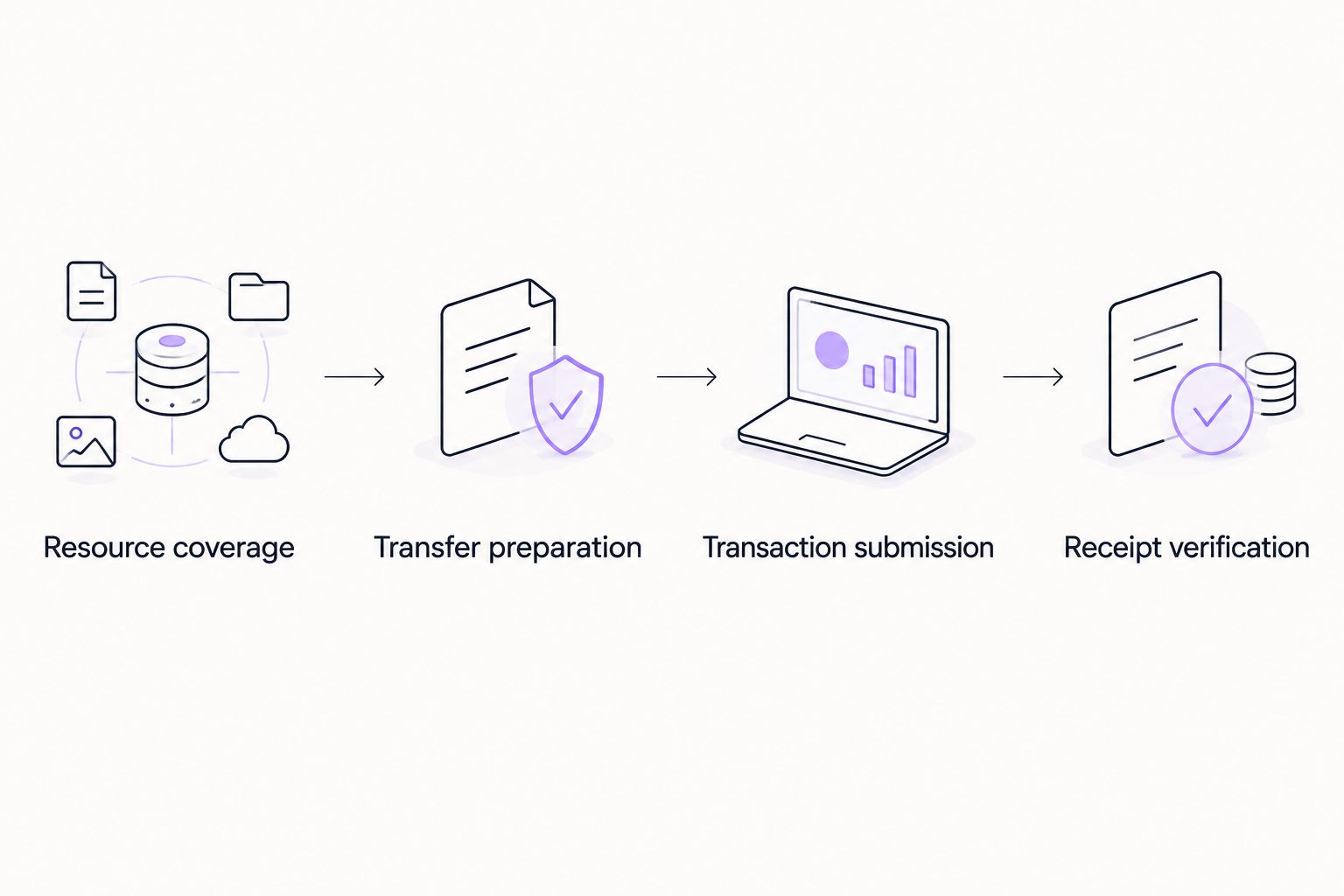
Transaction submission
Sign and submit the test transfer
- Prepare 1 test transfer. Use an amount you are comfortable testing and confirm that the recipient can identify it. Check any receiving service's deposit requirements before selecting the amount.
- Review the final signing request. Recheck the destination, token, amount, and requested contract action on the signing device or trusted wallet interface.
- Submit once. Record the transaction identifier immediately. If the interface stalls, investigate that identifier before attempting another payment.
- Wait for an on-chain result. A submitted transaction is not yet proof of successful token delivery.
The expected result is a traceable test transaction. You should have its identifier and an independently checkable status, rather than only a success animation inside an application.
Complete the remaining payment
- Confirm the test with the recipient. Check both the on-chain destination and the recipient's own receipt confirmation where applicable.
- Refresh the resource balances. The test transfer consumed resources. Do not assume the remaining payment still has adequate coverage.
- Re-estimate and authorize the remaining amount. Repeat the destination and signing checks rather than copying an unverified transaction request.
The expected result is a completed payment whose test and remaining transfer are separately recorded. Testing improves verification, but it also creates another resource-consuming transaction.
Receipt verification
Separate success from resource coverage
- Check execution status. Confirm that the transaction completed successfully, not merely that it appears in an explorer.
- Check the token movement. Verify the USDT transfer event, destination, and amount. Do not rely exclusively on the transaction's presence in account history.
- Inspect resource accounting. Where your interface exposes raw receipt fields, energy_usage_total reports total Energy usage, while energy_fee and net_fee identify TRX charges for Energy and Bandwidth respectively.
- Reconcile separate charges. A receipt without TRX resource charges does not exclude a separate provider payment or service charge.
The expected result is evidence for two distinct conclusions: the recipient received the intended tokens, and the transaction used the resource coverage you arranged.
For your 2026 records, retain the transaction identifier, recipient, amount, execution status, resource charges, and any separate service transaction. This makes later reconciliation possible without relying on chat history.
Repeat transfers when a payment is approved
A recurring workflow starts with an approved payment instruction, not an arbitrary incoming message. This variant fits member operations, partner payments, and customer operations where the same verification process repeats.
- Capture approval. Store the approved destination, network, token, amount, and an internal payment reference.
- Prevent duplicate execution. Mark that reference as pending before submission. Do not create a second payment because the first request timed out.
- Check resources immediately before signing. Obtain a fresh estimate and verify that delegated or sponsored coverage still applies.
- Store the transaction identifier. Associate it with the approval record before marking the payment complete.
- Reconcile the final receipt. Keep failed, pending, and successful transactions distinct.
Nbtrx's Telegram business operations context does not establish a wallet integration, signing service, or payment API. Keep payment authorization and key custody separate unless the actual integration explicitly documents those responsibilities.
For a 2026 recurring-payment procedure, assign one owner to approve payments and another verification step to confirm completion. Automation should repeat the checks, not remove them.
Troubleshooting
Energy is available, but TRX is still requested
Check Bandwidth separately, then compare the current Energy balance with the fresh estimate. An Energy allocation can be real and still be insufficient for the intended transaction. Inspect the requested action for additional contract interactions.
Delegation is confirmed, but the wallet shows no coverage
Compare the delegated address with the actual signing address. Check the on-chain account state and the arrangement's validity window; refresh the wallet display only after verifying those details. Do not submit against an unverified balance.
The transaction fails despite a favorable estimate
Read the execution result before retrying. Insufficient execution allowance, changed resource availability, or contract execution errors require different fixes. A failed transaction can still consume resources, so recheck balances before preparing a replacement.
Submission times out
Look up the recorded transaction identifier and inspect account activity. Do not assume a timeout means nothing was submitted. Resubmit only after establishing whether the original transaction reached the network and whether it executed.
The explorer shows success, but the recipient sees no deposit
Check the actual token transfer event, destination, and receiving network. A receiving platform can apply its own crediting requirements after on-chain execution. Give its support team the transaction identifier rather than sending a duplicate payment.
Customize your workflow
For occasional payments, keep a short checklist next to the signing process. For repeated payments, add approval records, duplicate protection, resource checks, and receipt reconciliation to the payment system.
Keep the trade-off explicit: delegated resources add a delivery dependency, sponsorship adds a service dependency, and existing resources still require monitoring. None removes the need to verify the recipient or inspect the signing request.
FAQ
Can I transfer USDT TRC-20 without holding TRX?
A transfer can succeed without the sender burning TRX when sufficient resources cover the transaction. Verify both Energy and Bandwidth; any resource shortfall can create a TRX requirement.
Does gas-free mean the entire transfer is free?
No. Gas-free can describe the sender avoiding a direct network charge while a provider supplies resources or charges separately. Reconcile the on-chain receipt and any separate service payment.
Is delegated Energy enough for a USDT transfer?
Delegated Energy alone does not establish complete coverage. The transaction also consumes Bandwidth, and the available Energy must cover the actual smart-contract execution.
Should I approve a contract to receive Energy?
Receiving delegated TRON resources does not require a USDT spending approval. Treat a token approval as a separate authorization and inspect why a service requests it.
Why does the wallet still ask for TRX after Energy arrives?
The account can still lack Bandwidth or enough Energy for the transaction. Refresh the estimate and compare both resource balances before signing.
Does Nbtrx guarantee gas-free USDT transfers?
No gas-free transfer guarantee is established here for Nbtrx. Its stated offering is Telegram business operations tools; verify resource coverage independently for every transfer.
How do I prove that my transfer did not burn TRX for resources?
Inspect the successful transaction receipt and its Energy and Bandwidth fee accounting. Then check for separate provider charges, which are not disproved by a receipt showing no TRX resource charge.
One last thing
A successful test transfer changes the resource balance you just tested. For every remaining payment in your 2026 workflow, refresh coverage after the test rather than treating the test's success as a reusable gas-free guarantee.


