Instead of manually arranging TRON resources before every transfer, connect TronLink to a TRON energy rental service—or submit your public receiving address when a connection is unnecessary—then verify delivery before sending. This 2026 guide separates wallet access, rental payment, and Energy delegation so you can check each action without exposing your keys.
- To connect TronLink to TRON energy rental, verify the provider, select the intended account, and inspect each wallet request.
- TRON Energy reaches the receiving address through resource delegation; a wallet connection alone does not deliver it.
- Address-only delivery avoids a wallet connection, but you must still verify payment instructions and the destination.
- Nbtrx offers Telegram business tools, not a verified TronLink integration in this guide.
Why this matters
A wallet connection is not an Energy rental. Connecting identifies an account to a website. Payment funds an order. Delegation supplies resources to the receiving address. Treat these as separate checkpoints, even when a service combines them on one screen.
TRON smart-contract execution consumes Energy. Transactions also consume Bandwidth. Renting Energy does not remove every other transaction requirement, and an insufficient resource balance can result in TRX consumption under the network’s rules.
For provider-selection criteria, start with the TRON energy rental services guide. Verify the selected provider independently before opening a wallet request.
Nbtrx Telegram business tools are best for teams organizing Telegram customer operations. Nbtrx is not established here as an Energy provider, so the instructions below remain provider-neutral.
Before you start
- Prepare an account you control. Use TronLink from its verified distribution channel, retain your recovery information offline, and select the account that will execute the intended transaction. Never enter a recovery phrase into a rental website or support chat.
- Prepare the order details. Identify the receiving address, required resources, rental duration, payment instructions, and delivery-verification method. Confirm that the provider supports your intended workflow before paying.
- Check the non-obvious mismatch. The paying address and receiving address can differ. Energy must reach the account executing the smart contract, not merely the account paying the rental order. An exchange deposit address is not a substitute for a self-controlled sending account.
For this 2026 setup, keep a written record of the chosen network and complete receiving address. A familiar account nickname is not enough to catch an address substitution.
Choose the connection workflow
There are 2 workflows to distinguish: connecting TronLink to a website, and ordering delegation to a public address without connecting that receiving wallet. Use the method the provider actually documents; do not force a connection where none is required.
| Workflow | Best for | Advantage | Limitation |
|---|---|---|---|
| Wallet-connected order | Users placing an order from their own TronLink account | Lets the website identify the selected public account | Introduces website permissions and wallet requests that require inspection |
| Address-only order | Users receiving Energy without connecting the destination wallet | Keeps the receiving wallet disconnected from the rental website | Requires careful address entry and a separate payment-verification process |
Prefer address-only delivery when you only need delegation and the provider supports it. A connected workflow remains useful when the service requires account-based order handling. Neither method proves that a provider is trustworthy.
Do not confuse these workflows with token approval. Delegating resources to your account does not inherently require granting a rental service permission to spend your tokens.
Network and account selection
- Open TronLink through your installed wallet interface. Unlock it locally, not through a form embedded in a rental website.
- Select the account that will send the intended smart-contract transaction. Copy its full public address into your order notes.
- Select Mainnet for a real TRON mainnet transaction. Use a test network only when both the provider and your intended transaction explicitly support that test environment.
- Check the selected account’s Energy and Bandwidth balances. Record the starting state so you have a reference when delegation arrives.
- Confirm that you can authorize transactions from the account. A watch-only account lets you inspect activity but does not supply the private key needed to sign.
Expected result: TronLink displays the intended account on the intended network, and you have recorded its complete address and starting resource balances.
For a controlled first run, prepare 1 test transaction with a known purpose and recipient. Do not use an unfamiliar contract merely to see whether the rental worked.
Website connection and permission review
- Open the provider’s independently verified website. Check the full hostname before interacting with the page; a familiar logo or search advertisement does not establish identity.
- Use the provider’s documented wallet-connection control and select TronLink if offered. Provider button names differ, so follow the actual page rather than looking for a universal label.
- Inspect the resulting TronLink request. Confirm the requesting website and selected public account before accepting an account connection.
- Separate connection permission from signing. If a subsequent request asks for a message signature or transaction authorization, inspect it as a new action with its own purpose.
- Reject requests that change account permissions, transfer assets unexpectedly, or grant unexplained token-spending authority. Stop if the request cannot be understood from the order you intended to place.
Expected result: The website identifies the intended public account, without an unexplained transfer, token approval, or account-permission change.
In 2026, the safe decision remains request-specific: approve the action you understand, not the sequence a website tells you to finish. Connecting successfully does not justify approving everything that follows.
A message signature is not the same as an on-chain transfer, but it still deserves review. Check the requesting domain and message content. Do not sign unreadable content simply because no immediate network transaction appears.
Rental order and payment verification
- Enter or confirm the complete receiving address. Compare it against the address copied directly from TronLink, not against an address supplied by a chat contact.
- Select the resource amount and duration supported by the provider. Base the request on the intended contract interaction rather than assuming every token transfer consumes identical resources.
- Review the order’s payment method and recipient. If payment requires a wallet transaction, compare the transaction details with the order before signing.
- Save the order identifier and payment transaction reference. Keep these separate from any later delegation reference; they document different events.
- Submit the order once. If the interface stops responding, check the payment transaction and order record before attempting another payment.
Expected result: You have a recorded order for the correct receiving address and evidence of any payment actually submitted.
Keep 2 addresses distinct in your notes: the payment recipient and the Energy recipient. They serve different roles. A correct payment destination does not repair an incorrect delegation destination.
Do not choose an amount from an unsupported universal estimate. Smart-contract execution requirements depend on the interaction and current network conditions. Use an estimate tied to the transaction you actually plan to execute, then inspect the wallet’s final transaction preview.
Delegation verification and test transaction
- Wait for the provider’s stated delivery process to finish. A payment confirmation or order acknowledgement does not establish that Energy has reached the receiving account.
- Refresh the receiving account’s resource view in TronLink. Compare Energy with the starting state you recorded.
- Inspect the account through an independently opened TRON blockchain explorer when you need to verify resource delegation. Use the full receiving address, and distinguish payment activity from resource activity.
- Prepare the intended test transaction. Review the recipient, contract, network, resource information, and any displayed TRX requirement before signing.
- After confirmation, inspect the transaction result and resource consumption. Continue only after the result matches the operation you intended.
Expected result: The receiving account shows the delegated resources, and the test transaction has a confirmed outcome you understand.
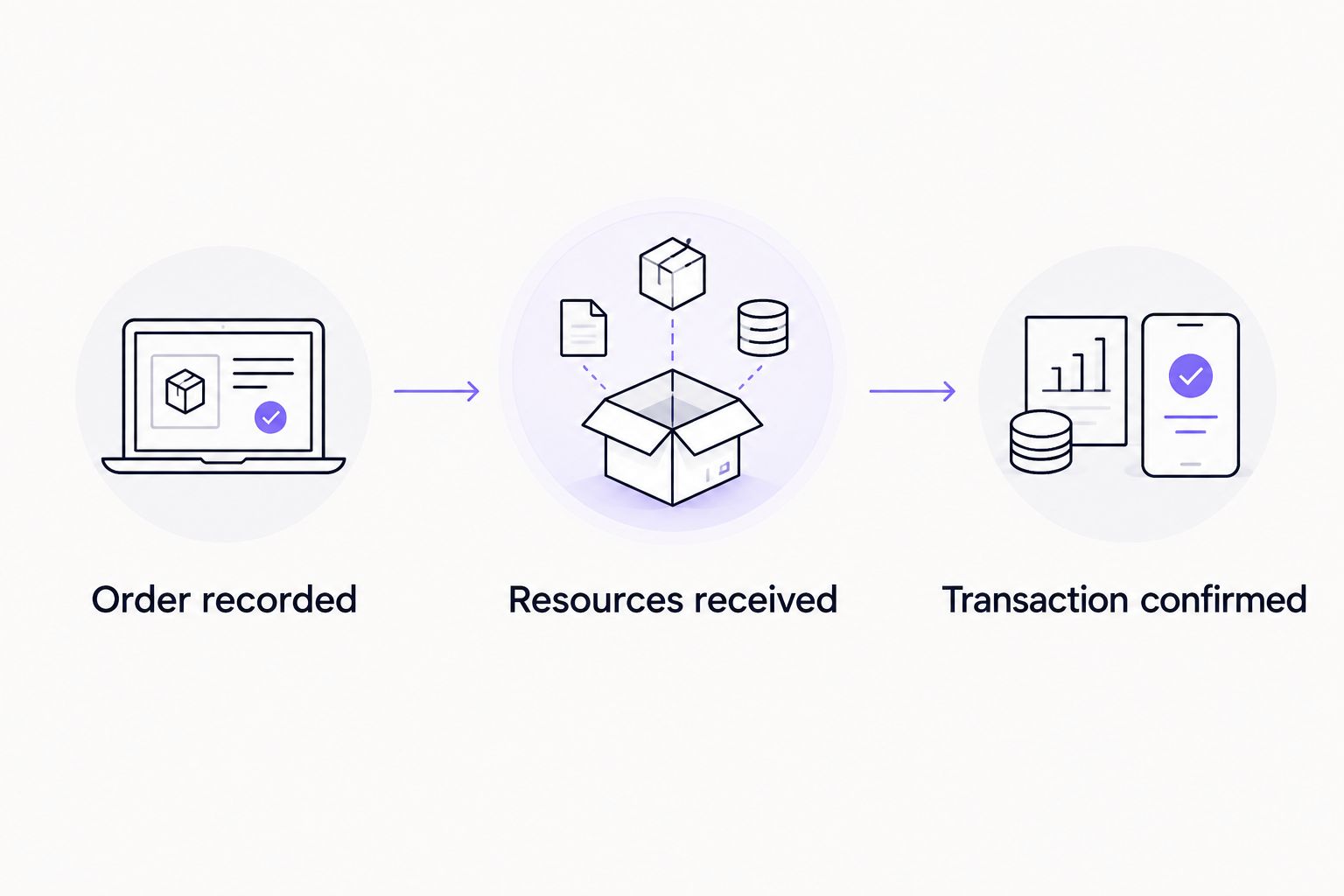
Use 3 checkpoints: order recorded, resources received, transaction confirmed. These are operational gates, not interchangeable status messages. For your 2026 checklist, record evidence at each gate before expanding the workflow.
Receive Energy without connecting TronLink
Address-only delivery is the adjacent workflow when a provider accepts a public receiving address. You still use TronLink to copy the destination and inspect resources, but you do not connect that wallet to the rental website.
- Copy the sending account’s public address directly from TronLink.
- Submit that address through the provider’s documented ordering process. Recheck the full address before confirming.
- Complete any required payment through a method you have verified independently. Keep the payment record and order reference.
- Inspect the receiving account for resource delivery, then follow the same test-transaction checks used for a connected order.
Best for: keeping the receiving wallet disconnected from the ordering website. The trade-off is manual address handling and, depending on the provider, separate order tracking.
Disconnecting a wallet does not prevent resources from being delegated to its public address. Conversely, a website reporting a connected account does not prove that any delegation occurred.
Use this variant when another operational wallet pays for resources needed by the sending account. Document who controls each account and who confirms receipt. Do not pass recovery phrases between operators to simplify the handoff.
Troubleshooting
TronLink does not show a connection request
Unlock TronLink and confirm that the provider supports your current browser or mobile environment. Another installed wallet can also interfere with wallet selection. Return to the provider’s documented connection method rather than installing an unfamiliar helper extension.
The website shows the wrong account
Stop before placing the order. Select the intended account in TronLink, end the existing website connection through the wallet’s connection-management controls, and reconnect. Verify the full address again; switching accounts locally does not justify assuming the website has updated.
Payment succeeded, but Energy has not appeared
Check the order’s receiving address and the provider’s delivery terms. Inspect resource delegation separately from the payment transaction. Send support the public order and transaction references—not private keys—and do not pay again merely because the page still says pending.
Energy arrived, but the transaction still requires TRX
Inspect the transaction preview and current resources. Energy does not replace Bandwidth, and the available Energy can be insufficient for the specific execution. Confirm the contract and account before deciding whether to change the resource arrangement.
A request asks for token approval or account permissions
Reject the request unless it is a separate, intended operation you can explain. Resource receipt alone does not require handing a provider control of your tokens or account. If an unwanted on-chain permission was already granted, disconnecting the website does not revoke that permission.
Customize your workflow
For recurring customer operations, separate order creation, payment authorization, resource verification, and transaction execution. Assign a clear owner to each task. Nbtrx Telegram business tools belong in the customer-operations discussion; that does not establish a wallet connection, rental capability, or resource-delivery integration.
Before automating in 2026, document the receiving-address source, retry rule, failure alert, and evidence required to continue. Automate only against a provider’s documented interface. Never give an ordering script a recovery phrase when its job is merely to submit a public address.
Use a repeat-safe order reference so a retry does not accidentally create a second order. Keep failed payments, delayed delegation, and failed contract execution as separate incident categories. Each requires a different fix.
FAQ
How do I connect TronLink to TRON energy rental safely?
Open a verified provider, select the intended TronLink account and network, and inspect every connection or signing request. Confirm the receiving address and resource delivery separately before executing your intended transaction.
Do I need to connect TronLink to receive rented Energy?
No, receiving delegated Energy does not inherently require connecting TronLink to a website. A provider that supports address-only orders can arrange delivery to your public address, while you verify receipt through your wallet and blockchain records.
Does connecting TronLink let a rental service spend my USDT?
A basic account connection does not itself grant token-spending permission. Separate approvals or signed transactions can create additional authority, so inspect each request rather than treating connection as blanket consent.
Why did my transaction use TRX after I rented Energy?
The transaction can still consume TRX when its resource requirements are not fully covered. Check Energy, Bandwidth, and the specific transaction result instead of assuming that any rental covers every execution.
Can I pay from one wallet and receive Energy in another?
Yes, when the provider supports a separate receiving address. Verify that delegation goes to the account executing the smart contract, and keep the payment recipient distinct from the resource recipient.
Does disconnecting TronLink cancel a token approval?
No, disconnecting a website does not revoke an on-chain token approval or account-permission change. Review and address the specific on-chain authorization separately.
Is Nbtrx a verified TRON energy rental provider?
This guide does not establish Nbtrx as a TRON energy rental provider. Its stated offering is Telegram business operations tools; verify any separate rental service and its wallet workflow independently.
One last thing
A successful payment is evidence of payment, not evidence of Energy delivery. Keep the delegation check as a separate gate even after a provider becomes familiar. That distinction makes a delayed order easier to diagnose and prevents an unverified resource balance from reaching transaction execution.


